Ali Abdaal-style captions, free and made in your browser
Calm, clean captions in sentence case, a few words at a time, with the word being spoken picked out as it is said. It is the look Ali Abdaal’s videos made popular for education and productivity content — easy to read, and never louder than the person talking.
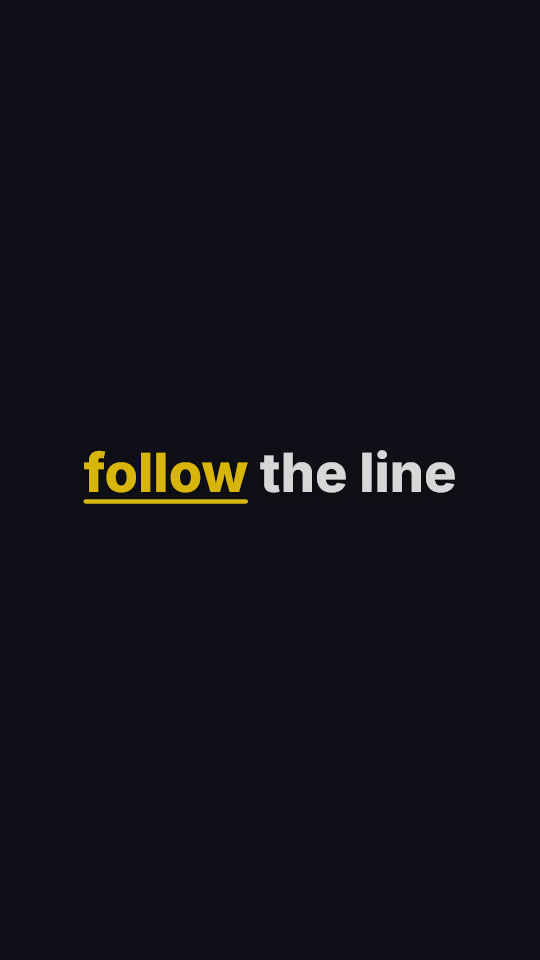
follow the line
What makes the style
Restraint. A clean modern sans-serif, normal sentence case rather than shouting capitals, five or six words on screen, no bounce or rotation. The movement is all in the highlight: the word being spoken is marked as it is said, so the caption still tracks the voice without pulling attention off the speaker.
In the editor the closest style is called Underline: Inter in a heavy weight, white with a thin dark edge, a gentle fade in, and a moving rule under the spoken word. Switch the highlight from an underline to a colour change in one tap if you prefer the word itself to change.
Which font Ali Abdaal uses
The on-screen text in his videos is most often identified as Inter, with TT Fors as the other name that comes up. Both are clean geometric sans-serifs; the difference is invisible at caption size.
Inter is in the editor and free to use, and it is what the Underline style is set in. Any other font you own can be loaded from its file. To match a particular video exactly, the style matcher reads the weight, colour, casing and position off that clip on your device.
Where it works best
Long-form talking, tutorials, explainers, study and productivity content — anything where the viewer is there for the information and the captions are there to help them keep up. It also holds up over a full-length video where a loud style would be exhausting by minute three.
For short, punchy Reels it can feel too quiet. Fewer words and heavier type — the Hormozi-style look — hold attention better in the first two seconds.
Questions
Is this Ali Abdaal’s official caption style?
No. It is a caption style in the look his videos made popular, and AI Caption Cut has no connection to him or his company. Every setting is editable.
Does it work on long videos?
Yes. Speech-to-text runs on your device with no length limit set by us; a long video simply takes longer to transcribe. Captions also download as .srt for YouTube.
Can I turn the highlight off?
Yes. Turn word highlighting off and the captions become plain, clean subtitles in the same font and position.
Is it free?
Yes, with no account. Exports are unlimited at 480p with a small watermark; one payment for that video removes the watermark at full 1080p.
Related free tools
Put clean, Ali Abdaal-style captions on your next video
Choose your video, and the captions are written and styled on your own device. Change anything in the editor, then export.
Caption my video in this styleUpdated